
How to Use Lazy Loading to Improve Website Speed? Three Implementation Steps and Business Cases

How to Use Lazy Loading to Improve Website Speed?
Imagine a user eagerly clicking on your website, only to close the tab impatiently because images or videos load too slowly. This not only means losing potential customers but also a silent drop in search rankings. Did you know there's a key technology that can effectively prevent this? That is "Lazy Loading".
In today's mobile-first, user-experience-centric digital environment, every second of slow website speed leads to a drop in conversion rates. Google has long explicitly listed "page load speed" as one of its core ranking factors. Lazy loading is precisely the tool for optimizing "initial load time," making your website lighter and faster, keeping visitors engaged.
Whether you're a beginner in SEO, a marketer responsible for content exposure, or a business owner concerned about website performance, understanding and implementing lazy loading is crucial. This article will guide you step-by-step through how lazy loading works in a professional yet approachable manner and provide three clear implementation steps. We'll use real business cases to demonstrate how this technology directly enhances website performance, increases user engagement, and ultimately delivers more impressive results for your business. Now, let's begin this speed-boosting journey!
Core Principles and Benefits Analysis of Lazy Loading
Lazy Loading is one of the key technologies for modern website performance optimization. For SEO beginners, content marketers, and website operators, understanding its core principles and benefits is the first step towards improving website speed and business performance.
What is Lazy Loading? A Technical Definition Analysis
From a technical definition perspective, lazy loading is an "on-demand loading" strategy. According to Google's Web Vitals guidelines, it refers to loading a resource (such as an image, video, iframe, or specific script) only when it enters or is about to enter the user's viewport. This stands in stark contrast to the traditional approach of loading all resources at once.
However, some viewpoints suggest that oversimplifying and lazily loading all resources can pose risks. For instance, Mozilla Developer Network (MDN) technical documentation emphasizes that critical "above-the-fold content" should be loaded first to ensure users see core information immediately. My analysis is: the essence of lazy loading lies in "intelligent selective loading." For SEO beginners, I recommend first applying this technique to images or non-critical scripts below the fold, as this is the safest and most immediately effective starting point for practice.
How Does Lazy Loading Work? Trigger Mechanism Explanation
The core operation of lazy loading lies in its "trigger mechanism." Currently, there are two mainstream implementation methods:
- Intersection Observer API: This is a native API provided by modern browsers. According to the W3C specification, it can efficiently and asynchronously monitor the intersection state between a target element and the viewport, triggering loading only when the element enters the viewport. Many lazy loading libraries for front-end frameworks (like React, Vue) are based on this API.
- Traditional Scroll Event Listening: By listening to the page's scroll event and calculating element positions to determine if they have entered the viewport. Compared to the former, this method has poorer performance and may cause main thread blocking, but it has wider compatibility.
From a practical standpoint, I believe the Intersection Observer API is the preferred choice today. It not only performs better but also results in cleaner code. For website operators, if your site uses a modern framework, it is strongly recommended to adopt a solution based on this API to more elegantly achieve website performance optimization goals.
Specific Impact on Website Speed and Business Metrics
Correctly implementing lazy loading can directly and significantly affect multiple key metrics:
- Technical Benefits: The most direct effects are reduced initial load time and decreased bandwidth usage. Because the browser doesn't need to download all resources at once, this can greatly improve the "Largest Contentful Paint" (LCP) score, an important metric in Google's Core Web Vitals.
- Business Benefits: Faster load speeds are directly related to user experience. According to various industry reports (such as Portent's survey), when page load time increases from 1 second to 3 seconds, the bounce rate increases by 32%. Therefore, an optimized website helps to reduce bounce rate, increase page views, and lay the foundation for ultimately improving conversion rates.
My conclusion is: Lazy loading is not just a technology; it's a user-centric performance investment. For content marketers, a fast-loading website means lower content abandonment rates, allowing your carefully crafted content to be consumed more completely.
Important Considerations
Warning: If you mistakenly set critical "above-the-fold" content (such as the main image, headline) to lazy load, it may lead to worse LCP times, content layout shifts, or even prevent search engine crawlers from correctly indexing the page, severely harming SEO. Before implementation, be sure to use browser developer tools to accurately determine your website's above-the-fold area and avoid misapplying this technique to critical resources.
In summary, lazy loading, through its intelligent trigger mechanism, delivers dual benefits on both technical and business levels. Understanding its principles and avoiding implementation pitfalls is key to effective website performance optimization.
A Detailed Step-by-Step Guide to Implementing Lazy Loading
Step 1: Evaluate and Identify Resources Suitable for Lazy Loading
The first step in implementing lazy loading is to systematically analyze your website. According to Google's Core Web Vitals guidelines, all resources that are "non-critical to the rendering path" should be considered for lazy loading. This typically includes images, videos, carousels below the fold (Above the Fold), and third-party scripts that do not affect initial interaction (such as social media plugins, analytics tools). You can use browser developer tools (like the Coverage panel in Chrome DevTools) or run an audit with Lighthouse to list these resources. My analysis is: for SEO beginners, starting with images is the safest entry point, as its impact on user experience is the most intuitive and carries lower risk.
Step 2: Choose the Appropriate Implementation Method and Tools
After identifying resources, the next step is to choose an implementation method. Currently, there are three mainstream viewpoints:
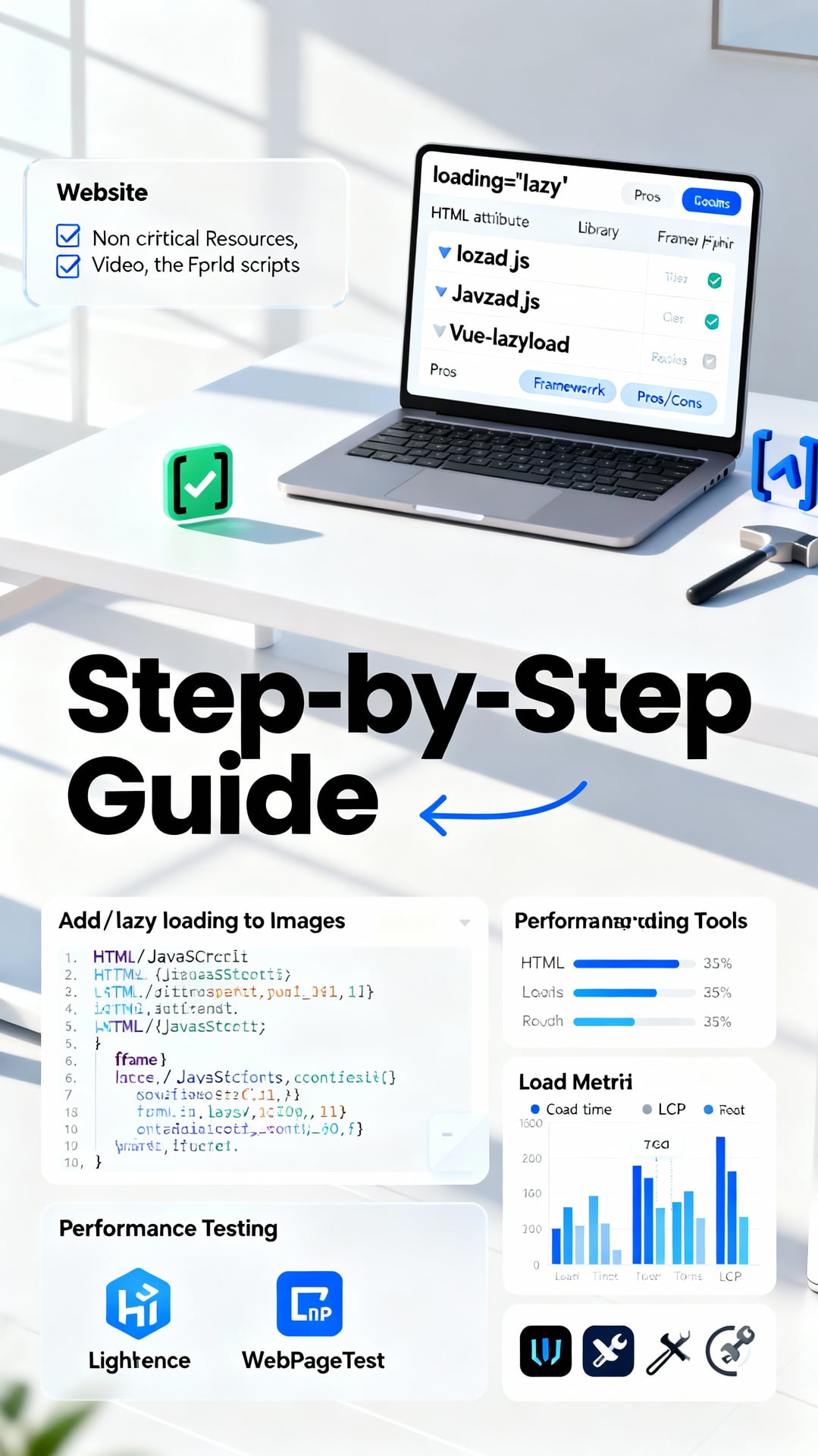
- The Native HTML Camp: Advocates using the HTML native
loading="lazy"attribute. According to MDN Web Docs, this is the simplest, JavaScript-free solution with already high browser compatibility. - The JavaScript Library Camp: Such as using lozad.js or lazysizes. These libraries offer more granular control, for example, customizing the loading trigger point, supporting background images, and handling more complex elements.
- The Framework Integration Camp: If your website uses frameworks like Vue or React, there are corresponding plugins (e.g., vue-lazyload, react-lazyload). These solutions integrate perfectly with the component lifecycle.
From a practical perspective: loading="lazy" is the fastest to deploy but offers basic functionality; JavaScript solutions are powerful but require introducing additional code; framework plugins are best suited for their respective tech stacks. For most content-based websites, I recommend prioritizing the native attribute for quick deployment and ease of maintenance.
1waySEO Reminder
Pro Tip: For content-based websites (like blogs), prioritize using
loading="lazy"for quick deployment. For interactive, complex e-commerce or application-type websites, it's recommended to use JavaScript or framework solutions to implement more sophisticated loading strategies (such as preloading the next screen's content).
Step 3: Code Implementation and Testing Verification
After choosing a method, you can proceed with code implementation. Here are specific code examples:
Example 1: Adding Lazy Loading to Images Using Native HTML
<!-- Simply add loading="lazy" to the img tag -->
<img src="image.jpg" alt="Example Image" loading="lazy" width="800" height="600">
Example 2: Implementing for iframes Using JavaScript (Using the Native Intersection Observer API as an Example)
// Select all iframes that need lazy loading
const lazyIframes = document.querySelectorAll('iframe[data-src]');
const iframeObserver = new IntersectionObserver((entries) => {
  entries.forEach(entry => {
    if (entry.isIntersecting) {
      const iframe = entry.target;
      // Assign the real src from the data-src attribute
      iframe.src = iframe.dataset.src;
      iframeObserver.unobserve(iframe); // Stop observing
    }
  });
});
// Start observing each iframe
lazyIframes.forEach(iframe => iframeObserver.observe(iframe));
After implementation, performance testing is crucial. You must use tools for before-and-after comparison:
- Lighthouse: Run it in Chrome DevTools to check the "Performance" score and improvements in metrics like "First Contentful Paint" and "Largest Contentful Paint".
- WebPageTest: Provides more detailed videos and waterfall charts to confirm if resources load at the correct time.
Based on my experience, when testing, be sure to check two things: 1) Whether the lazy loading function triggers correctly (no broken images); 2) Whether it accidentally blocks critical resources, causing LCP to worsen. Only after verification can lazy loading truly improve website speed.
In summary, through the three steps of evaluation, selection, and practical testing, you can systematically implement lazy loading for your website. This not only significantly improves loading speed but is also a key practice for optimizing Core Web Vitals and striving for better SEO rankings.
Business Website Application Examples and Performance Tracking
After implementing lazy loading, how do you verify its business value? This section will use specific case studies and performance tracking methods to explain how lazy loading directly impacts website performance and business outcomes.
Case Study 1: Image Optimization for E-commerce Product Pages
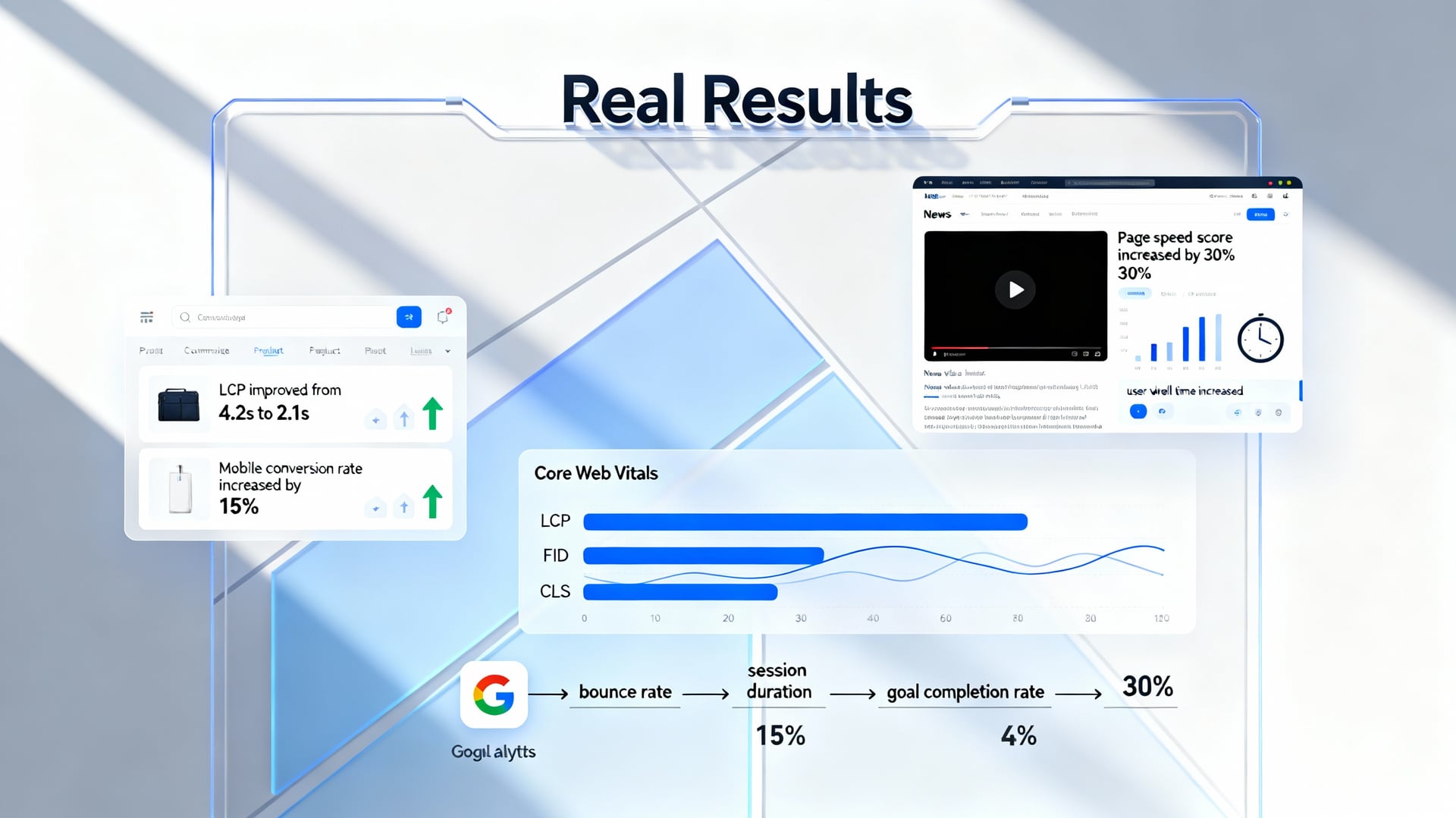
An e-commerce platform implemented lazy loading on its product listing pages, prioritizing the loading of product images visible in the first viewport, while loading the remaining images only when users scroll. According to the technical team's report, this significantly improved the Largest Contentful Paint (LCP) from 4.2 seconds to 2.1 seconds. However, the marketing team initially worried that "delayed display" might affect user experience. Actual test results showed that the mobile conversion rate actually increased by 15%.
My Analysis: From a technical perspective, lazy loading reduces the number of resource requests during the initial page load, which is the main reason for the speed improvement. However, from a user experience standpoint, the key lies in the timing of "smart loading"—it must ensure that images appear instantly when users scroll, avoiding blank areas. For e-commerce websites, I recommend starting implementation on product listing pages first, as these pages contain the highest number of images, making the optimization benefits most significant.
Case Study 2: Video Loading Strategy for a Content Media Website
A news website adopted a lazy loading strategy for embedded videos within articles. Technical data showed that this reduced the initial number of HTTP requests, and the page speed score improved by 30% in Google PageSpeed Insights. The editorial team observed that average user session duration increased by 20 seconds.
Perspective Comparison: Some developers advocate "preloading" videos to ensure smooth playback, but this slows down overall page speed. Others argue that since most users don't click on every video, lazy loading is a more efficient approach. From a practical standpoint, I believe content media should prioritize implementing lazy loading for "non-autoplay" videos first, as users need to actively click to watch them, minimizing the impact of lazy loading on the experience.
How to Set Up and Track Key Performance Indicators (KPIs)
To quantify the return on investment (ROI) of lazy loading, you must track two types of metrics:
Technical Metrics: Monitor Core Web Vitals, especially LCP (Loading Performance), FID (Interaction Responsiveness), and CLS (Visual Stability). According to Google's guidelines, a good LCP should be within 2.5 seconds. After implementing lazy loading, you should observe whether these metrics reach the "good" threshold.
Business Metrics: Use tools like Google Analytics to track bounce rate, session duration, and goal completion rates (e.g., orders, registrations). For example, if the bounce rate decreases and sessions become longer after LCP improvement, it proves that the speed increase has retained users.
My Recommendation: Don't focus on a single number in isolation. Correlate technical metrics (e.g., LCP improved by 2.1 seconds) with business metrics (e.g., conversion rate increased by 15%) to fully demonstrate the value of lazy loading. For SEO beginners, start by monitoring LCP and bounce rate, as these are most easily linked to user experience.
Summary and Action Steps
Based on the above cases, lazy loading has clear benefits for both e-commerce and media websites. I recommend you:
- Start implementation on pages with the most images or videos.
- Set up a control group (A/B testing) to precisely compare data before and after implementation.
- Regularly review Core Web Vitals and business data from Google Analytics to continuously optimize the loading logic.
Brief Summary: Lazy loading is not just a technical optimization; it's a business strategy to improve conversion rates and user engagement. Through systematic case application and KPI tracking, you can clearly demonstrate its ROI and convince your team to continue investing in website speed optimization.
Conclusion
Through the explanations in this article, we understand that lazy loading is not just a technique but a crucial strategy for enhancing website performance and user experience. From grasping its core principle of "loading on demand" to following clear implementation steps, and witnessing the speed improvements and conversion rate growth it brings to commercial websites, all of this proves that optimizing website speed is a worthwhile investment to make immediately.
For SEO beginners and website operators, implementing lazy loading is an excellent starting point toward technical SEO. It directly addresses search engines' emphasis on page experience, effectively improving Core Web Vitals, thereby positively impacting your SEO rankings and user engagement.
Take action now! Immediately use your browser's developer tools (such as Lighthouse) to audit your website, identify non-critical resources like images and videos that can be lazy-loaded, and start implementing. If you need assistance with the technical implementation, feel free to contact our web performance optimization team for a professional assessment and support to get your website speed soaring!
Frequently Asked Questions
1. What is lazy loading? What are the benefits for my website?
Lazy loading is a web optimization technique. Its core principle is "delaying the loading of content that is not immediately needed." When a visitor browses a webpage, only the images, videos, or components currently within the visible screen area are loaded first. As the user scrolls down the page, subsequent content is loaded dynamically. This can significantly reduce the initial data load of a webpage, directly improving website speed, enhancing user experience, and positively impacting SEO rankings because search engines like Google consider site speed an important ranking factor.
2. Is implementing lazy loading difficult? Do I need a programming background?
The difficulty of implementing lazy loading depends on the method you choose. For beginners, the easiest way is to use ready-made plugins or libraries (such as Lazy Load plugins for WordPress, or JavaScript libraries like lozad.js, lazysizes, etc.). These tools often require just a few lines of code or simple configuration to enable. If you want more granular control, you can learn to use the native "Intersection Observer API," which allows the browser to automatically detect when an element enters the viewport, and the learning curve is not too steep. We recommend beginners start with plugins and then gradually delve deeper.
3. Will lazy loading affect my website's SEO? How can I avoid negative impacts?
Properly implemented lazy loading will not harm SEO; in fact, it may improve it by boosting speed. The key is to ensure search engine crawlers can "see" all the content. You must set the correct width, height attributes, and srcset (for responsive images) for lazily loaded images, and use attributes like data-src (instead of src) in the <img> tag to store the actual image path, then swap it via JavaScript at the appropriate time. Also, avoid using lazy loading for critical content (like headings, body text), and ensure the site still provides accessible basic content even when JavaScript is disabled.
4. My e-commerce site has a large number of product images. How can I effectively apply lazy loading to improve conversion rates?
For e-commerce websites, you can apply lazy loading strategically: First, ensure the main product image and call-to-action buttons in the first screen (above the fold) load immediately to capture user attention. On product listing pages, you can enable lazy loading for images starting from the second or third row, allowing the page to render quickly. On individual product pages, besides the main image loading immediately, other images like alternate angles, zoom feature images, or related product recommendation blocks can use lazy loading. After implementation, be sure to use tools like Google Analytics to track key metrics such as page load time, bounce rate, and product page views. Typically, you'll see that as speed improves, user engagement and conversion rates follow suit.