
SEO Beginner's Guide: 7 Practical Steps to Boost Website Traffic from Scratch

SEO for Beginners: A Step-by-Step Guide from Scratch
Have you ever spent a lot of time and effort writing blog posts, only to find that your search rankings never improve and your website traffic remains minimal? Many SEO beginners, including content marketers or website owners, have hit a wall because they lacked a systematic SEO beginner's guide, feeling that their efforts never quite pay off.

In today's digital marketing landscape, Search Engine Optimization (SEO) is undoubtedly the core of acquiring stable organic traffic. However, for beginners, facing constant algorithm updates, professional jargon, and technical details can easily feel overwhelming, leaving them unsure where to start with optimization.
Don't worry, this guide is written for you. This article will serve as your practical handbook, setting aside complex theories to focus on providing a clear, immediately actionable SEO beginner's guide. We will guide you through seven structured steps, from the most basic website setup and keyword research to content creation and optimization, helping you establish the correct optimization process step by step. The article will also supplement with real-world Taiwan case studies and often-overlooked details and techniques in practice, helping you avoid common pitfalls and effectively enhance your website's visibility in search results. Now, let's embark on this SEO learning journey together!
Step 1: Basic Setup and Keyword Research
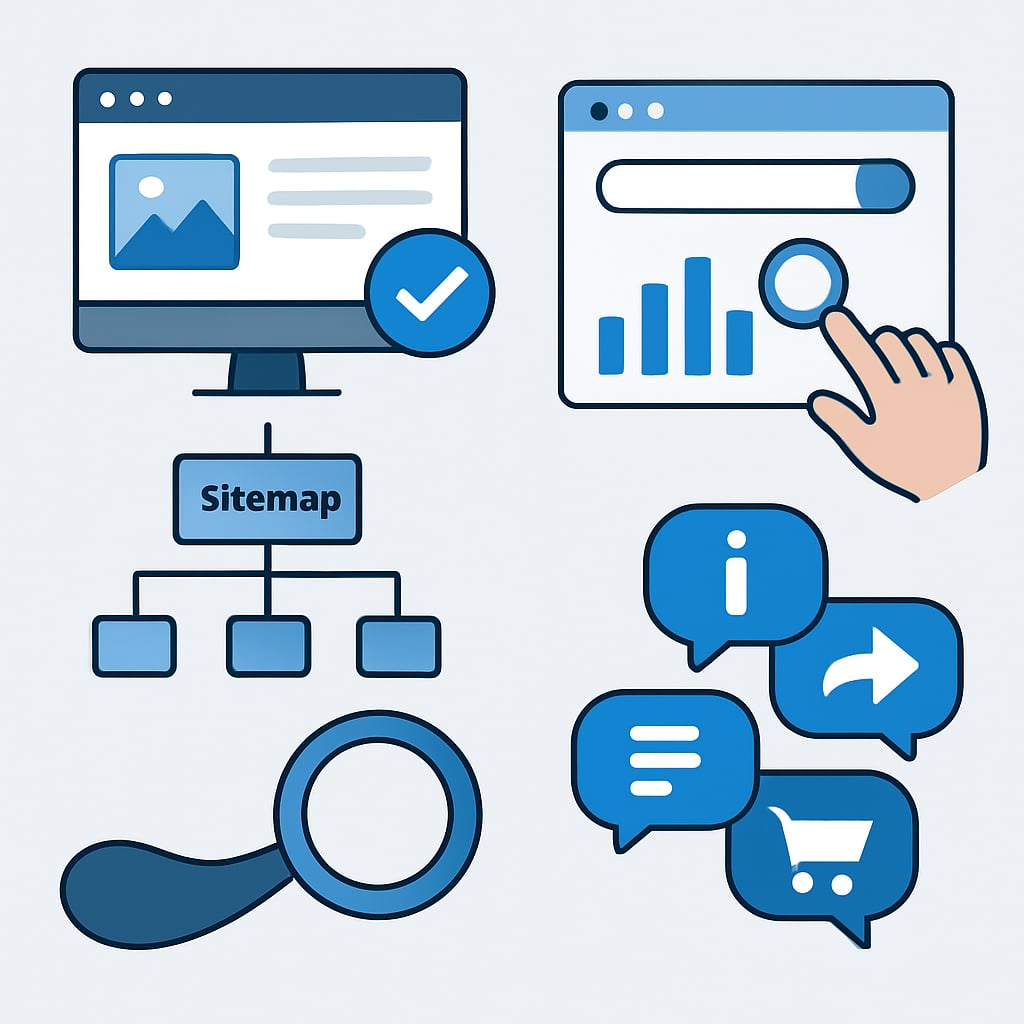
For SEO beginners, a tall building rises from the ground, and a solid foundation of basic setup and keyword research is the most crucial first step in any SEO beginner's guide. This step determines whether search engines can correctly understand your website and sets the direction for all your subsequent content strategies.
Website Technical Checklist
Before starting any content creation, you must ensure search engines can smoothly "visit" your website. According to Google's official guidelines, using Google Search Console to verify site ownership and submit a Sitemap is the primary task. This helps Google quickly discover and understand your website's structure. However, some experienced SEO consultants will remind you that submitting a Sitemap is just the beginning; subsequent monitoring of indexing status is more important. My analysis is: for beginners, completing verification and submission first is a practical starting point, as it ensures your website meets the basic conditions for being indexed. I recommend you complete this setup today.
Quick Tip
Pro Tip: After submitting your Sitemap in Search Console, don't rush to close it. Come back the next day and check the 'Coverage' report to confirm if important pages are all showing as 'Submitted and indexed'—this is your first success signal! If you find issues, you can make adjustments based on the report's suggestions.
How to Conduct Effective Keyword Research
Keyword research is the core skill of an SEO beginner's guide. The traditional view suggests starting with high-search-volume primary keywords, but modern SEO thinking emphasizes using keyword planning tools (like Google Keyword Planner) to find high-potential, low-competition long-tail keywords. For example, instead of competing for "SEO tutorial," start with more specific, intent-clearer terms like "SEO beginner's guide tutorial 2024." From a practical perspective, although individual long-tail keywords may have lower search volume, the cumulative traffic is more stable, and the conversion intent is often stronger, making them ideal for beginners to accumulate early results.
Creating a Keyword Strategy Map
Once you find keywords, how do you organize them? This is where the concept of search intent needs to be introduced. According to SEO expert Brian Dean's theory, keywords should be categorized as informational (wanting to learn), navigational (looking for a specific site), or transactional (wanting to complete a purchase or action). However, local case studies in Taiwan show that for topics like "SEO beginner's guide," informational and transactional intents are often mixed. My suggestion is: create a strategy map for your target keywords, clearly marking the search intent and competition level for each keyword, and plan the corresponding content types (like blog posts, how-to guides, tool comparisons). This will make your SEO work more systematic.
In summary, basic setup and keyword research complement each other. Technical setup ensures the pathway is clear, while precise keyword research determines what "goods" you should transport on that pathway. Completing this step means you've already laid a solid foundation for subsequent content creation and optimization.
Step 2: Content Creation and Page Optimization
Content is the cornerstone of SEO, and page optimization is the key to ensuring content is correctly understood and ranked by search engines. This step will guide you in building a page that is friendly to both search engines and users, from article structure and heading tags to internal linking.
Crafting an SEO-Friendly Article Structure
A clear structure helps search engine crawlers understand the key points of your content and also enhances the user reading experience. Regarding article structure, there are two main common perspectives:
- Traditional SEO Perspective: Emphasizes strictly following the "inverted pyramid writing principle," placing the most important information and primary keywords at the beginning of the article (e.g., the first 100 words) to ensure crawlers can quickly capture the core topic.
- Modern Content Marketing Perspective: Believes structure should be centered around the "user journey," with the beginning needing to solve the user's immediate problem or spark interest, then gradually unfolding details, with keywords naturally integrated.
My analysis is that these two are not mutually exclusive. For informational content like an SEO Beginner's Guide, combining both is most effective: the opening paragraph clearly states the core "SEO beginner" problem this guide will solve (aligning with the inverted pyramid), followed by clear headings (H2, H3) guiding readers step-by-step through learning. This satisfies both the crawler's signals for structure and the user's reading logic. I recommend that whenever you write any tutorial content, first ask yourself: "What answer does the reader want to see at first glance?" and place that at the very beginning.
Optimization Techniques for Title Tags and Meta Descriptions
The Title Tag and Meta Description are the "storefront" of the search results page, directly impacting click-through rate.
- Regarding Title Tag length, it was commonly suggested in the past to keep it within 50-60 characters to avoid truncation in search results. However, data from some SEO tools (like SEMrush) shows that some longer but informationally complete titles (e.g., 65-70 characters) may perform better because they contain more relevant semantic meaning.
- Regarding Meta Descriptions, Google officially states they do not directly affect rankings. However, in practical experience, a precise, compelling description that includes the main keyword can significantly boost click-through rate, which is an important indirect ranking factor.
From a practical standpoint, I strongly recommend that your SEO Beginner's Guide page title must include the main keyword "SEO Beginner's Guide" and place it in the front part of the title, with a length still around 60 characters as a safe baseline. The meta description should concisely state the guide's value in 1-2 sentences, for example: "This guide provides 7 practical steps, with Taiwan-based examples, to help SEO beginners master page optimization and content creation skills from scratch," naturally incorporating keywords and sparking the desire to click.
Strategic Layout of Internal Links
Internal links are the navigation system within a website. They can distribute page authority, help crawlers discover content, and guide users to read further. Common layout strategies include:
- Contextual Links: Within the article body, link relevant keywords to other related articles.
- Content Hub Model: This is currently considered a more effective strategy by many SEO experts (as advocated by HubSpot). You need to create a core hub page (e.g., an "SEO Beginner's Guide" overview page), then create multiple detailed subtopic articles (like "Keyword Research," "Technical SEO"), and tightly link them together through bidirectional links.
I believe that for an SEO Beginner's Guide aimed at establishing topical authority, adopting the "Content Hub" model yields the highest benefits. You can use this guide as the hub page, then set steps like "Content Creation and Page Optimization" as subtopic articles, closely linking them together. This strongly signals to search engines that your site is an authoritative source on the topic of "SEO beginner," helping to improve overall rankings.
Important Note
Avoid 'keyword stuffing'! Instead of repeatedly cramming "SEO Beginner's Guide" into titles or body text, think about 'what else might users searching for this term want to know?' For example, "What are the steps?", "What tools are needed?", "When will I see results?", and naturally answer these related questions in the text. This is precisely the core of Semantic Search—providing complete, relevant answers, not just keyword matching.
In summary, content creation and page optimization are the keys to implementing strategy. Through clear structure, precise titles/descriptions, and strategic internal linking, your SEO Beginner's Guide can stand out from the crowd.
Step 3: Technical Optimization and Performance Enhancement

Technical optimization is a crucial yet often overlooked aspect in SEO beginner guides. It directly impacts a search engine's ability to crawl and understand your website, as well as the user experience. This section will focus on three core areas to help you build a solid technical foundation.
Mobile-Friendliness Testing and Fixes
In Taiwan, over 70% of web traffic comes from mobile devices, making mobile-friendliness a mandatory lesson for SEO beginners. According to Google's official guidelines, a mobile site should feature readable text, adequate button spacing, and content that doesn't require zooming. However, some experienced SEO consultants go further, suggesting that beyond passing tests, one should focus on "interaction friendliness," such as whether forms are easy to fill out.
My Analysis and Recommendation: I believe beginners should first use Google's "Mobile-Friendly Test" tool for a basic check and fix any issues (like incorrect viewport settings, text that's too small). This ensures your site meets the search engine's basic requirements. Then, from a user's perspective, manually test the operational smoothness of key pages. This is the long-term strategy for improving rankings and user experience.
Practical Steps for Website Speed Optimization
Website speed is a key factor affecting user dwell time and rankings. Regarding speed optimization, there are two main schools of thought: one emphasizes front-end optimization, such as improving load times directly through image compression (converting to WebP format) and enabling browser caching; the other values backend and hosting performance, believing that choosing a suitable local Taiwan host is fundamental.
From a Practical Perspective: For SEO beginners, I strongly recommend starting with front-end optimization, as it has a lower barrier to entry and yields immediate results. You can use tools like TinyPNG to compress images and set browser caching via plugins or the .htaccess file. Simultaneously, pay close attention to Google's "Core Web Vitals" metrics, which have become an important ranking factor and can specifically guide your optimization efforts.
Introduction to Structured Data Markup
Structured Data is a type of code that "tells" search engines about the properties of your webpage content. A common point of divergence lies in the implementation method: some advocate for using the JSON-LD format from Schema.org (officially recommended by Google) for its ease of management; others, due to website technical constraints, opt for embedding Microdata within the HTML.
Experience-Based Advice: For business owners just starting with an SEO beginner guide, I recommend beginning with JSON-LD. You can start by adding "Article" type structured data to your blog posts. This can potentially make your articles appear in search results with a richer presentation (like title, image, publication date), thereby increasing click-through rates. Google's "Structured Data Testing Tool" can help you verify if your code is correct.
Local Advantage
When doing SEO for the Taiwan market, localized technical optimization can provide significant advantages. Taiwanese users heavily rely on local information and reviews, and their search behavior often has a geographical focus. Therefore, in addition to technical optimization of the website itself, if your business is a local one, be sure to simultaneously optimize your "Google My Business" profile, ensuring information is complete and accurate. Also, actively encourage customers to leave genuine reviews, as in local search results, business ratings carry substantial weight and are key to standing out.
Summary and Transition: Technical optimization is the foundational work that allows your quality content to be smoothly "discovered" and "presented." After completing the basic setup for mobile-friendliness, speed, and structured data, you have established a good technical foundation for your website. Next, we will move into the core of content creation, exploring how to produce high-quality content that aligns with search intent and truly attracts and retains your target audience.
Step 4: Monitoring, Analysis, and Continuous Optimization
In the SEO beginner's guide, monitoring and analysis are the keys to turning initial efforts into concrete results. Many beginners often mistakenly believe that publishing content is the end of the process, but in reality, SEO is a continuous cycle of optimization. Based on my experience, an SEO strategy without monitoring is like shooting arrows in the dark—you never know if you've hit the target.
Setting Key Performance Indicators (KPIs) and Tracking
Regarding the setting of SEO key performance indicators, there are two main perspectives in the industry. The first perspective (such as Moz's guide) emphasizes starting from "traffic quality," suggesting prioritizing the tracking of conversion rates and dwell time for organic traffic. The second perspective (such as Ahrefs' practical methods) argues that beginners should first focus on "basic metrics": organic traffic growth rate, progress in target keyword rankings, and click-through rate (CTR).
My analysis: For SEO beginners, I recommend adopting the progressive approach of the second perspective. First, define and track 3-5 core metrics, for example: monthly changes in organic traffic, the number of keywords ranking in the top 10, and the click-through rate of important pages. From a practical standpoint, this allows you to grasp effectiveness without getting lost in excessive data. I recommend using Google Analytics to set up a dashboard for these KPIs and reviewing trends weekly.
Analyzing Search Console Data to Identify Optimization Opportunities
Google Search Console is the most important free tool for SEO beginners. Regarding how to effectively utilize its data, different experts have different focuses. Content marketing experts typically emphasize the "Queries" report, considering it a treasure trove for discovering users' true search intent. Technical SEO experts, on the other hand, pay more attention to the "Coverage" report to resolve indexing issues.
From a practical standpoint, I suggest beginners operate as follows: Analyze the "Queries" report monthly to identify two types of opportunities: 1) Relevant keywords for which your site already has some ranking (e.g., positions 11-20)—these are short-term targets for improvement; 2) "Content gaps"—topics users frequently search for but your content does not yet fully cover. For example, if your SEO beginner's guide article appears in search results for "SEO basics tutorial" but ranks poorly, this is a clear signal for optimization.
Establishing a Content Update and Maintenance Schedule
Regarding content maintenance strategies, two common approaches are "regular comprehensive reviews" and "data-driven updates." The former advocates systematically updating all old articles every 6-12 months; the latter suggests triggering updates based on data indicators like ranking drops or traffic declines.
Based on my practical experience, I recommend SEO beginners adopt a hybrid model: First, set a regular review schedule for all "pillar content" (such as core SEO beginner's guide articles) every 6 months, updating statistics and adding new case studies (for example, incorporating the latest applications of AI-powered SEO writing tools in Taiwan). Second, for other articles, establish a monitoring list and initiate content optimization immediately when a keyword's ranking drops more than 5 positions for two consecutive weeks. When optimizing, not only update the body text but also check if the title tags and meta descriptions are still compelling.
In summary, monitoring and analysis are the turning point in the SEO beginner's guide, moving from "execution" to "refinement." Through systematic KPI tracking, in-depth exploration of Search Console data, and establishing consistent content maintenance habits, your SEO results will grow steadily over time.
Key Takeaways from This Section: Mastering SEO analysis lies in "defining metrics, interpreting data, and taking action." Starting with setting key performance indicators, to using Google Search Console to discover optimization opportunities, and finally establishing a content update schedule—these three steps form a complete optimization cycle.
Conclusion

Through the seven steps of this SEO Beginner's Guide, we have laid the foundation with "Basic Setup and Keyword Research," entered the core battlefield of "Content Creation and Page Optimization," ensured website health through "Technical Optimization and Performance Enhancement," and finally formed a growth flywheel with "Monitoring, Analysis, and Continuous Optimization." This path clearly illustrates that SEO is not an overnight magic trick, but a systematic effort requiring patient execution and continuous iteration based on data.
For beginners, the most important thing is to take action. Remember, a perfect starting point does not exist. Start now by checking your website's technical aspects, choosing a core topic for keyword research, and beginning to create your first optimized article. Take that first step immediately, and review your Search Console data one month later; you will witness firsthand the initial results brought by consistent effort. Build steadily, and the growth in your website's rankings and traffic will be the best proof of this solid groundwork.
Frequently Asked Questions
1. As an SEO beginner, where should I take the first step?
It is recommended to start with basic setup and keyword research. First, ensure your website has tools like Google Analytics and Search Console installed for data tracking. Then, conduct keyword research using tools like Google Keyword Planner or Ahrefs to find keywords relevant to your content with moderate search volume. Starting with long-tail keywords makes it easier to achieve initial rankings; for example, "Taipei cafe recommendations" is more specific and less competitive than simply "cafe".
2. When creating content, how can I effectively perform on-page optimization?
On-page optimization must balance user experience and search engine understanding. Titles should include the main keyword and be click-worthy, such as "SEO Beginner's Guide: 7 Practical Steps to Quickly Improve Rankings". The body content should be well-structured, using H2 and H3 tags to divide sections, and naturally incorporate relevant keywords. At the same time, optimize image ALT text, ensure fast loading speeds, and include a call to action at the end. For example, a Taiwan travel blog could include localized keywords like "Jiufen day trip guide" when introducing attractions.
3. What are some technical optimization points beginners often overlook?
Beginners often overlook website speed and mobile-friendliness. First, use Google PageSpeed Insights to check your site's speed and improve it by compressing images and enabling caching. Second, ensure your website displays correctly on mobile devices and avoid outdated technologies like Flash. Additionally, create a clear website structure (sitemap) and submit it to Search Console to make it easier for search engines to index. For example, if a product page on a Taiwan e-commerce site takes more than 3 seconds to load, it may lead to a high bounce rate.
4. After starting SEO implementation, how should I monitor results and continue optimizing?
Regularly monitoring key metrics is the foundation for continuous optimization. Weekly, review keyword rankings, click-through rates, and impression data in Search Console, and use Google Analytics to analyze traffic sources and user behavior. If you find certain pages have excessively high bounce rates, you can adjust the content or improve the user interface. Simultaneously, keep an eye on competitors' strategies, such as what new keywords they are using. It is recommended to conduct a comprehensive review monthly, adjusting your keyword strategy and content direction based on the data.
Further Reading
相關文章

SEO Case Study: Master Search Engine Optimization Techniques to Boost Rankings

The Complete SEO Guide: Practical Strategies and Techniques from Beginner to Expert

SEO for Beginners: A Practical Guide and Key Steps to Get Started
